
THE JUMBLE GATE GUIDE
How to play and solve sliding block puzzles
In Jumble Gate, you slide blocks through gates of the same color until the board is clear. A good sliding block puzzle strategy starts with the space a move creates. Look for an exit you can open, then use the empty cells to free the next block.
This guide explains Jumble Gate’s color-gate rules and shows the opening of its first Classic puzzle. The mobile game is coming soon to iOS and Android. Check mobile availability.
How to play a color-gate sliding block puzzle
- Match the block to its gate. Find a gate on the board’s edge with the same color as the block.
- Clear a path. Drag the block through empty cells. Pieces keep their shape and orientation as they move.
- Check the whole shape. Every part of the block needs room along its route. Its full width or height must fit inside the gate.
- Clear every block. Use each opening to rearrange the remaining pieces and send them through their matching gates.
If a block reaches an edge and stays on the board, check its color, its alignment with the gate, and the path behind its leading cells. An elbow-shaped piece needs room for both arms.
A worked opening from Classic level 1
Open Classic and choose A little room to bloom. All 42 cells start occupied. The boards below use the game’s actual blocks and gates. Follow the lower lime block, the coral block and the amber block through the opening moves.
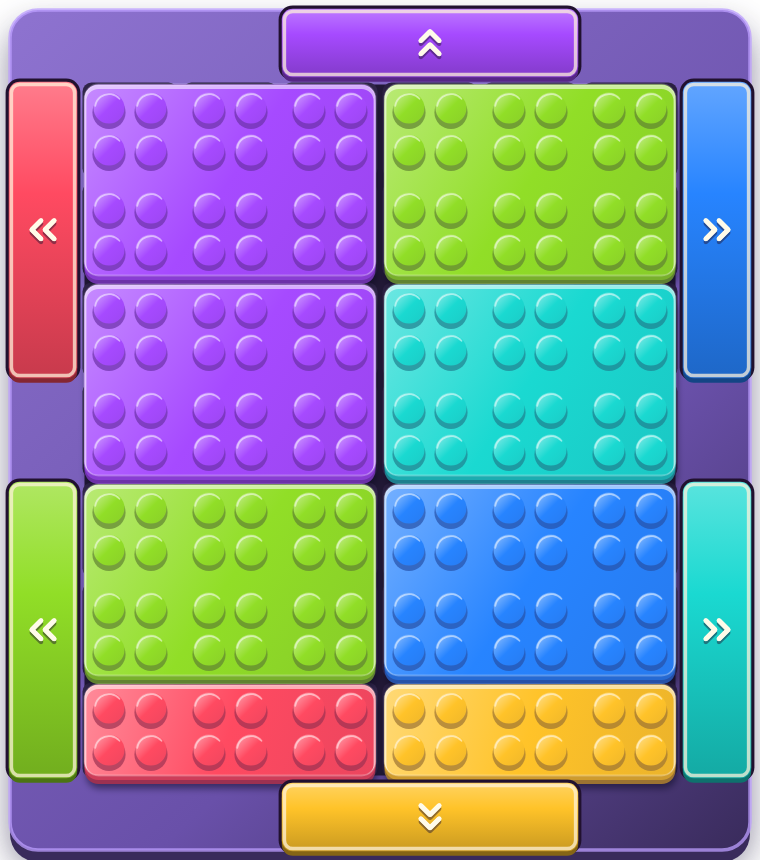
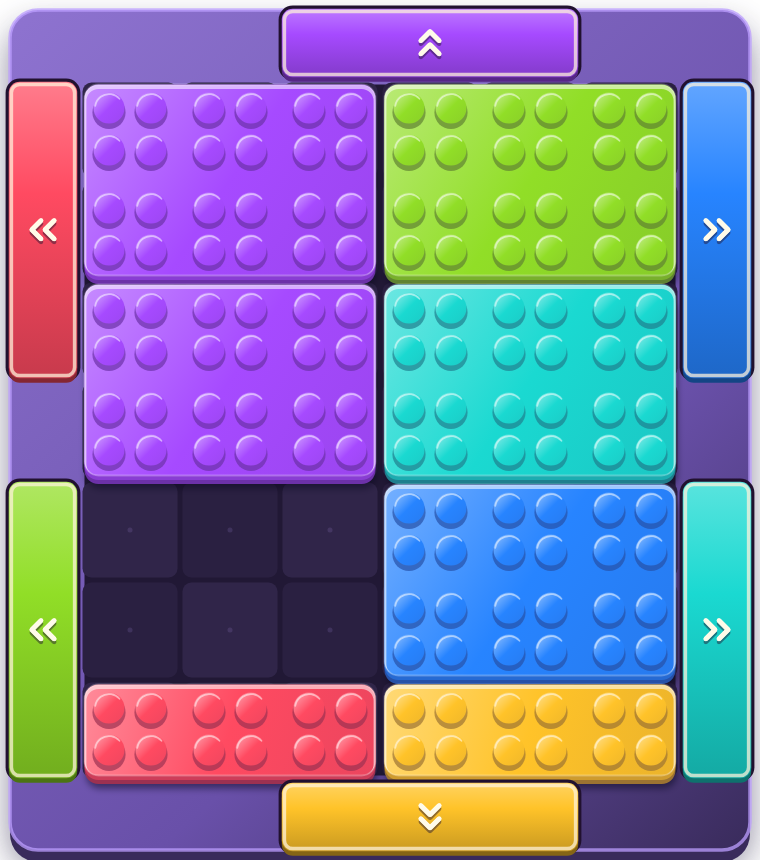
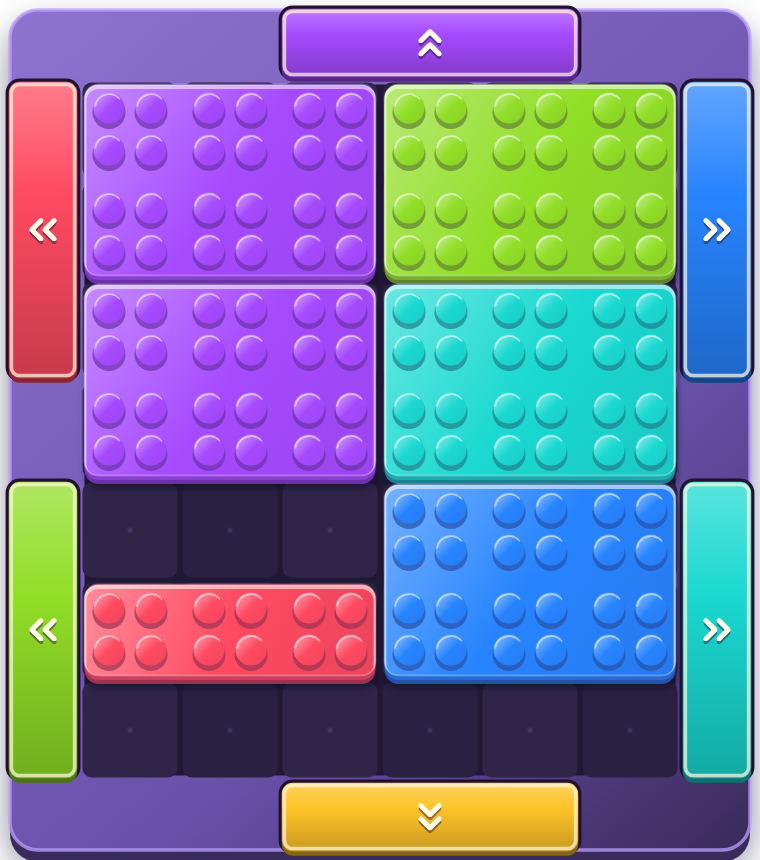
The amber block starts one column too far right for its gate. Moving the coral block makes room for it to shift left. That small adjustment gives you a second clear and more space for the rest of the puzzle.
Sliding block puzzle strategy for a crowded board
Work back from a gate
Pick a block and trace its route to the matching exit. Find the first piece in its way, then work out where that piece could move. In the example, the amber block needs the coral block’s space, and the coral block needs the lower lime block’s space.
Leave room to turn a corner
A block can move in more than one direction along its route, while keeping its orientation. Before moving a wide or bent piece into a narrow lane, check that there will be enough room to shift it toward the exit.
Use Undo to compare ideas
If a move closes a useful route, undo it and try another arrangement. Undo is free. When chasing a move medal, remember that undoing a move also counts toward your move total.
What to do about locks, ice and moving gates
- Locked blocks. Clear the piece carrying the key through its matching gate to unlock the locked pieces.
- Frozen blocks. Clear other pieces to reduce the ice. A frozen block stays in place until its ice is gone.
- Moving gates. Recheck the opening after each successful move. A route that fits now may need a different alignment next turn.
- Generators. New pieces arrive when their space becomes available. Keep checking the board after a clear.
When a piece refuses to move, look for a lock or ice before rearranging the whole board. The game’s message tells you what needs to happen first.
Can I play Jumble Gate without a timer?
Yes. Turn on Relaxed play in Settings before starting a new game. The same puzzle rules apply with the countdown switched off. Saved games keep the mode they started with.
Relaxed clears count for move records, while time records require timed play. You can use Relaxed play to study a route and work toward a clear without boosters.
Try the next opening
Looking for a different kind of challenge? Compare sliding block puzzle styles, explore color block puzzle rules or choose a daily puzzle for your next break.
For a quieter session, explore relaxing puzzle games and no-timer play. Planning to play on a journey? Check which puzzles work offline and what to download first.
Once you understand the first clear, follow the gates around the board and ask which block you can free next. Jumble Gate adds daily puzzles and seasonal adventures as you learn its mechanics.
Explore Jumble Gate or check the iOS and Android release information. For help with progress, purchases or puzzle downloads, visit Support.